Split Testing 101: How Small Changes Can Boost Your Conversion Rate by 30%
Three months ago, I changed two words on a client's landing page. Just two words.
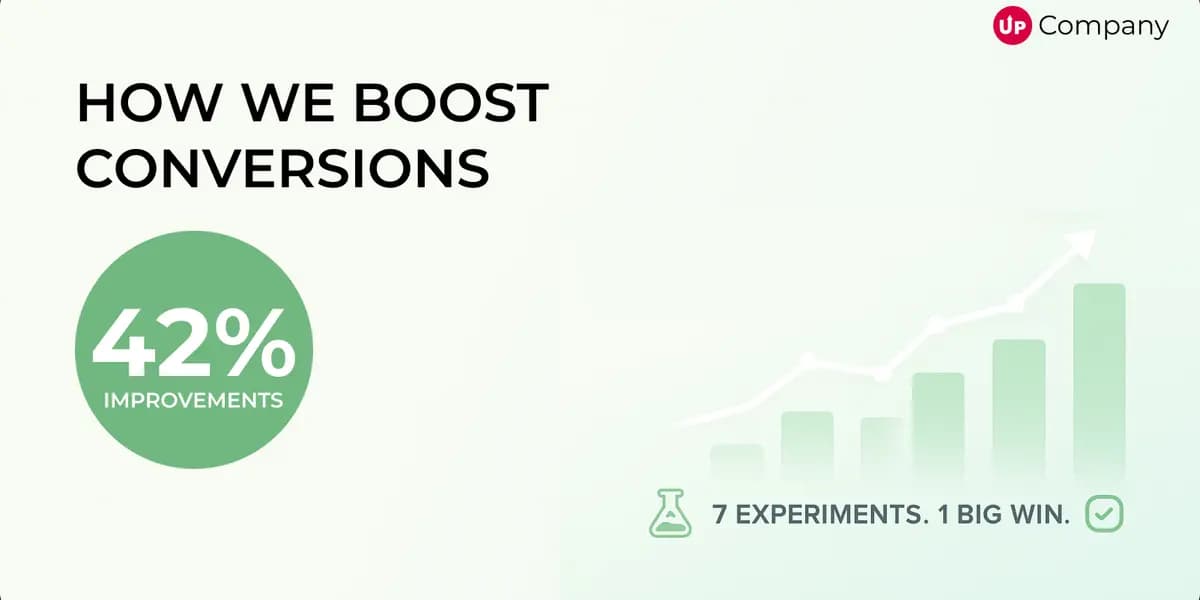
Their conversion rate jumped from 2.1% to 3.4% overnight. That tiny change generated an extra $47,000 in revenue over the next quarter.
The old headline said "Transform Your Business." The new one said "Double Your Revenue."
Same product, same audience, same everything else. But one headline spoke to what people actually wanted, while the other was just marketing fluff.
This is why I get excited about split testing. It's not about dramatic redesigns or revolutionary ideas. It's about finding out what actually works instead of guessing what might work.
Most Businesses Are Flying Blind
Your website might look professional. It probably loads fast and follows all the best practices you've read about. But if you're not testing different versions of your pages, you're basically throwing darts in the dark.
I see this all the time: business owners who spend thousands on ads to drive traffic to a website that converts at 1%. They're worried about getting more visitors when they should be focused on converting the ones they already have.
Here's the thing that most people don't realize: your visitors are constantly telling you what they want through their behavior. They're just not using words. They're using clicks, scrolls, and exits.
Split testing is how you learn to speak their language.
What Split Testing Actually Is
Strip away all the jargon and split testing is incredibly simple: you show version A of something to half your visitors and version B to the other half. Then you see which one gets better results.
Maybe it's two different headlines. Maybe it's a blue button versus an orange button. Maybe it's a short form versus a long form.
The beauty is in the simplicity. You're not asking people what they prefer in a survey (because what people say they want and what they actually do are completely different). You're just watching what they do.
I've been doing this for years and I'm still surprised by the results. The version I'm sure will win often loses spectacularly. The version that seems obviously worse sometimes crushes it.
That's why we test instead of guess.
Small Changes, Big Results
You don't need to rebuild your entire website to see dramatic improvements in conversions. Some of my biggest wins have come from the smallest changes.
A few examples from real projects:
Changed "Submit" to "Send My Free Report" on a contact form and increased completions by 38%. Turns out people want to know what happens when they click a button.
Moved testimonials from the bottom of a sales page to right after the headline. Conversion rate went up 31%. People needed to see social proof before they'd read the rest of the pitch.
Removed the phone number field from a consultation request form. Leads increased by 52%. Apparently asking for a phone number felt too pushy for this particular audience.
None of these required a designer or developer. They were all just small tweaks based on understanding human psychology.
Tools That Won't Break Your Budget
The good news is you don't need expensive enterprise software to start testing. There are plenty of tools that work great for small to medium businesses.
If you're just getting started, Google Optimize is free (though they're phasing it out, so don't get too attached). For most businesses, something like Unbounce or ConvertKit works perfectly fine.
The tool doesn't matter as much as actually using it. I've seen companies spend months debating which testing platform to use while their competitors are already running tests and improving their results.
Pick something, learn it, and start testing. You can always upgrade later.
How to Run a Test That Actually Tells You Something
Here's where most people mess up: they change five things at once, run the test for three days, and then declare victory based on incomplete data.
That's not testing. That's just creating confusion.
A proper test focuses on one thing at a time. If you want to test your headline, don't also change your button color and your hero image. You won't know which change made the difference.
Run your test for at least two weeks if you can. User behavior changes throughout the week, and you want to capture all of it. Monday visitors might behave differently than Friday visitors.
And please, wait for statistical significance. That fancy phrase just means "enough people have seen both versions to make the results meaningful." Most testing tools will tell you when you've reached it.
What to Test First
If you're staring at your website wondering where to start, focus on the elements that have the biggest impact on conversions:
Your main headline is usually the first thing people see. Does it clearly communicate what you do and why someone should care? Test different versions that speak to different pain points or desired outcomes.
Your call-to-action buttons are where conversions happen. Test different colors, different text, different placement. "Learn More" is almost always worse than something more specific like "See Pricing" or "Get My Free Quote."
Your forms are often where people decide to bail out. Every field you remove usually increases conversions. Every field you keep should have a good reason for being there.
Start with whichever element you suspect might be holding you back the most. Trust your instincts, but verify with data.
Making Testing a Habit
The biggest mistake businesses make with split testing is treating it like a one-time project. They run one test, see some improvement, and then go back to making changes based on opinions.
The websites that convert the best are the ones that never stop testing. They treat their site like a living, breathing thing that's constantly getting better.
Keep a simple spreadsheet of test ideas. When someone on your team says "I think we should change X," write it down as a test hypothesis instead of just making the change.
Set aside time each month to review your results and plan your next test. Make it part of your routine, not something you do when you remember.
Stop Waiting for Perfect
I know what you're thinking: "I need more traffic before I can start testing" or "I should fix my design first" or "I'll start testing next quarter when things slow down."
Here's the truth: you'll never have perfect conditions for testing. Start where you are, with what you have.
Even if you only get 1,000 visitors a month, you can still learn valuable things about what resonates with your audience. The insights from those tests will inform bigger decisions down the road.
Your website is already running an experiment. It's just that the control group is your current page and there's no variation to compare it to. By not testing, you're choosing to learn nothing from all those visitors.
The Real Payoff
Split testing isn't just about increasing conversion rates, though that's obviously nice. It's about understanding your customers better.
Every test teaches you something about what motivates your audience, what concerns they have, and how they make decisions. Those insights make you better at everything: writing copy, creating products, running ads, having sales conversations.
The businesses that consistently outperform their competitors aren't the ones with the biggest budgets or the fanciest websites. They're the ones that understand their customers best.
Split testing is how you build that understanding, one small experiment at a time.
So pick something to test. Run it for two weeks. Look at the results. Then test something else.
Your best-performing website isn't some far-off goal. It's just a few tests away.
Start Your Project
Ready to turn your next idea into something people actually remember?
We help brands build sharper websites, stronger content systems, and digital experiences that convert with clarity.